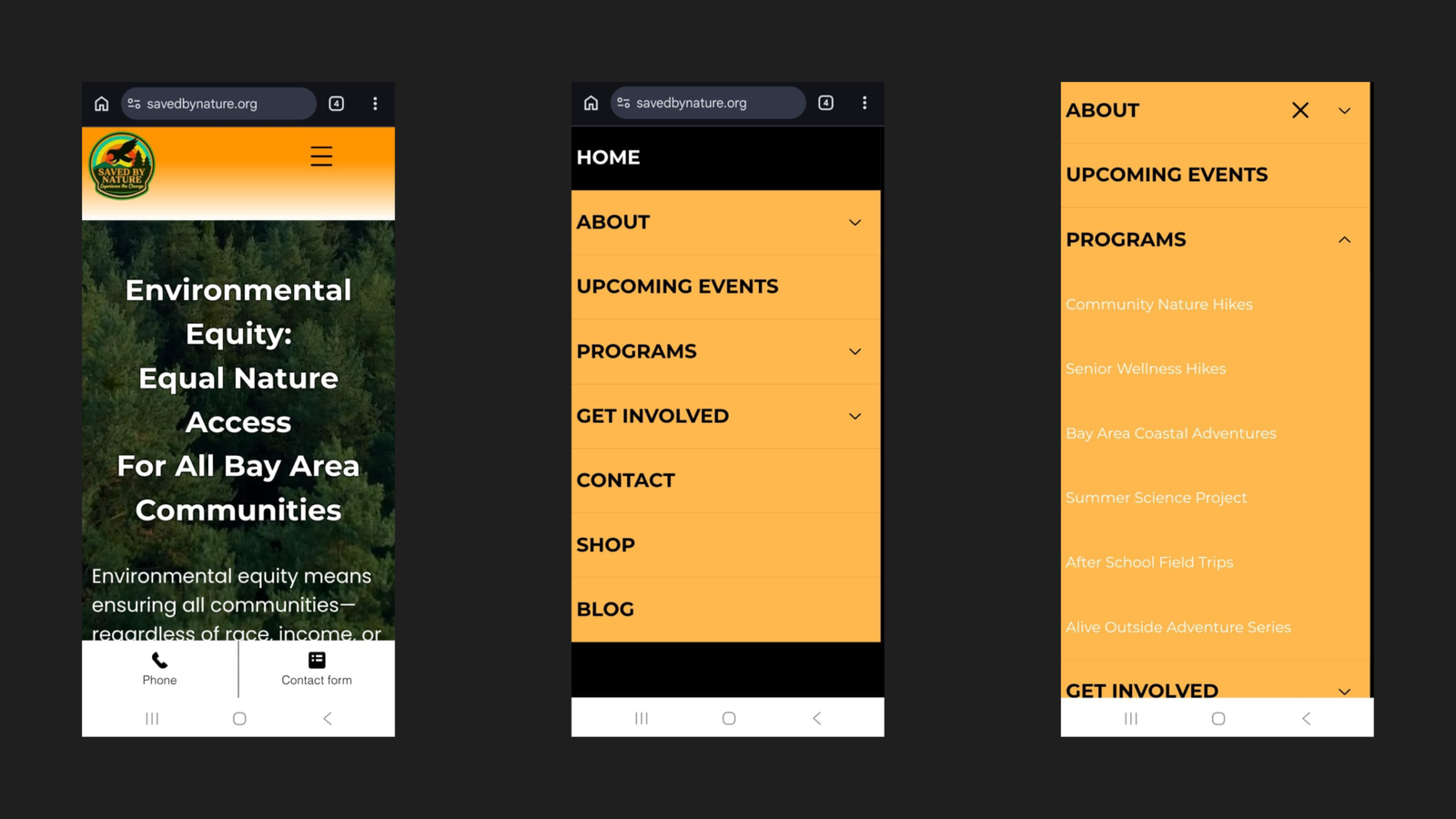
3–4 Clicks to Find a Program.
Now 2.

Before a single keyword was researched or a line of content written, the site needed to function. The original Saved By Nature website had structural and design problems serious enough to undermine everything built on top of it. Here’s how they were fixed — the rebuild decisions and UX improvements that formed the foundation for all subsequent SEO and conversion work.

Overview

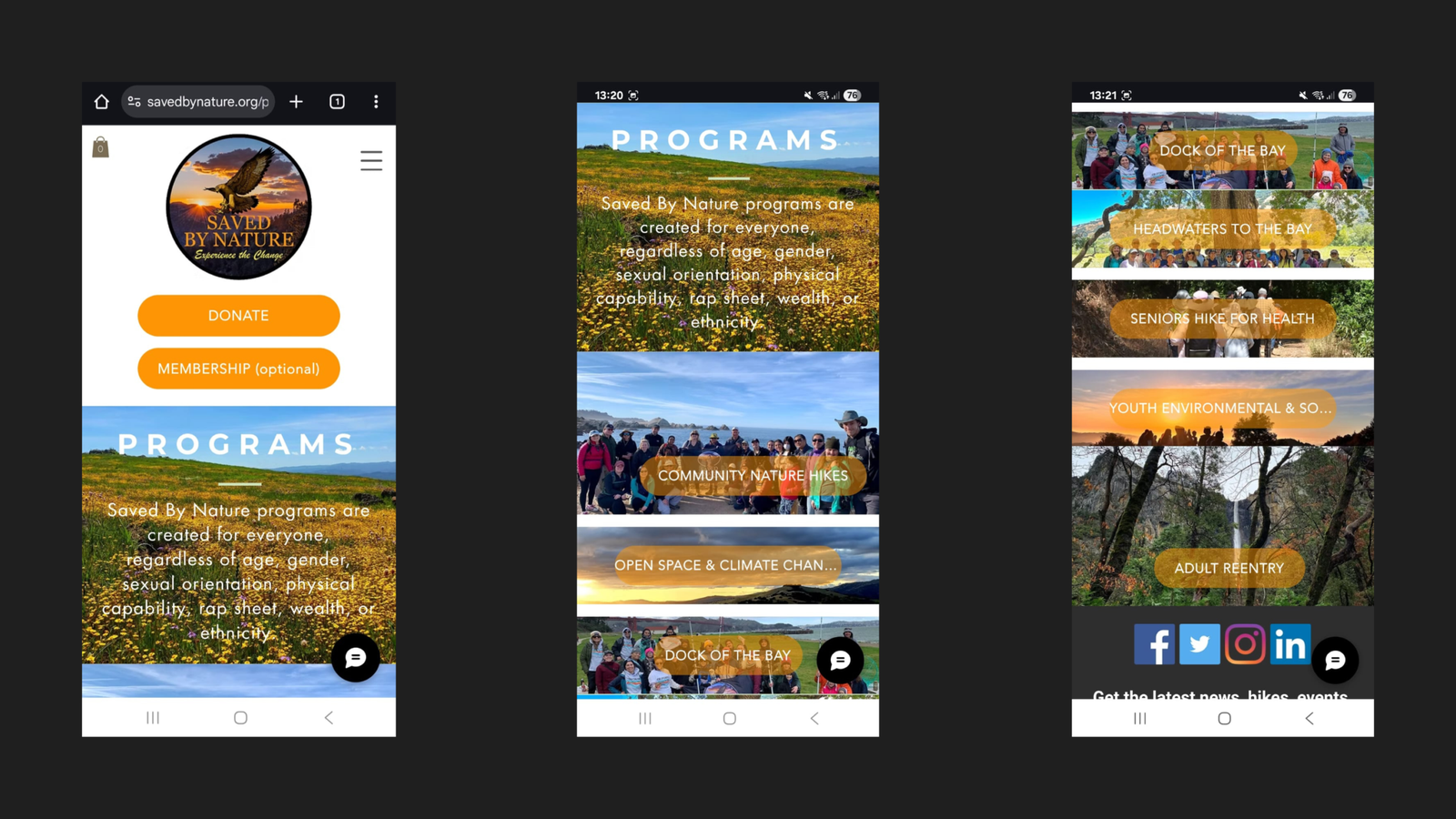
mobile Navigation

Menu rebuilt from scratch, every label fully visible.

Information Architecture

Programs reachable in 2 clicks

Mobile Responsiveness

Every page rebuilt and tested across screen sizes.

Visual Identity

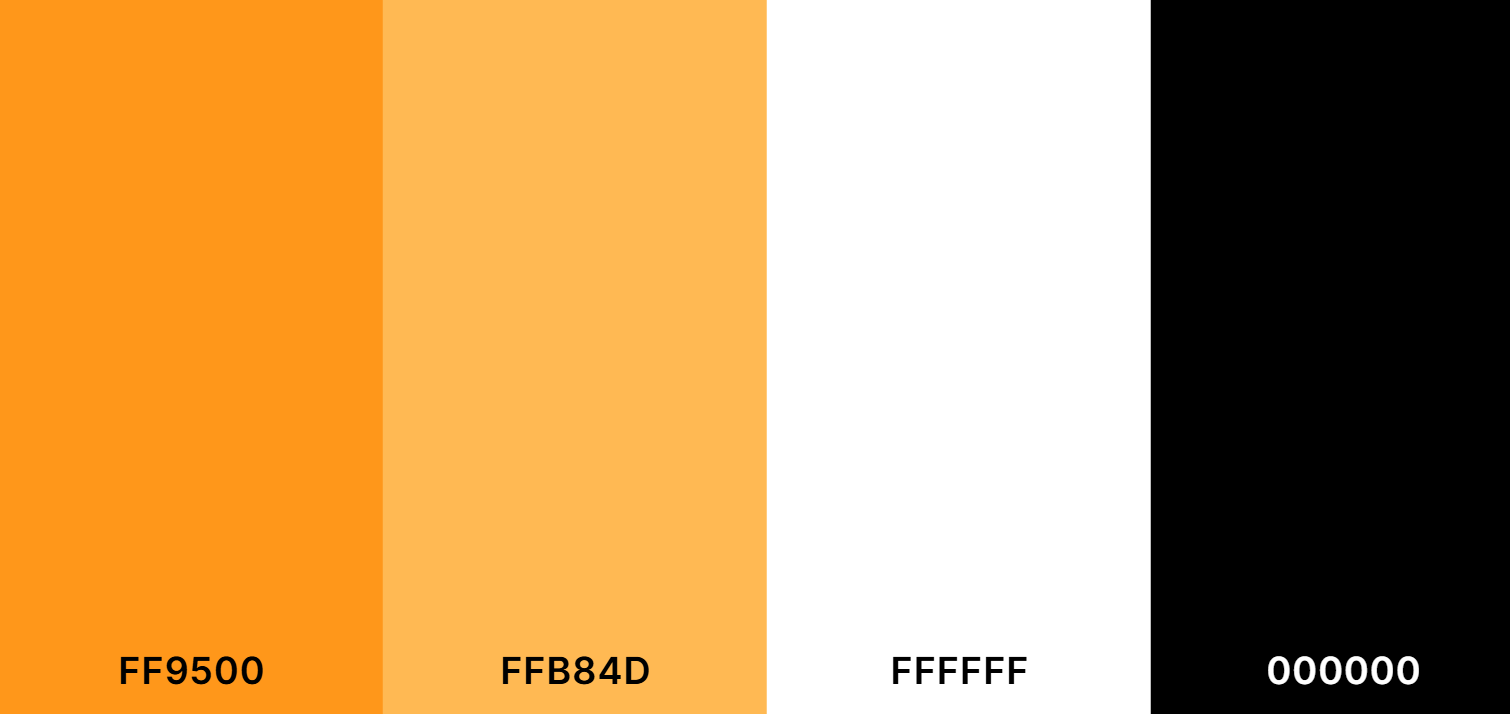
A consistent colour palette applied site-wide.

Page Navigation

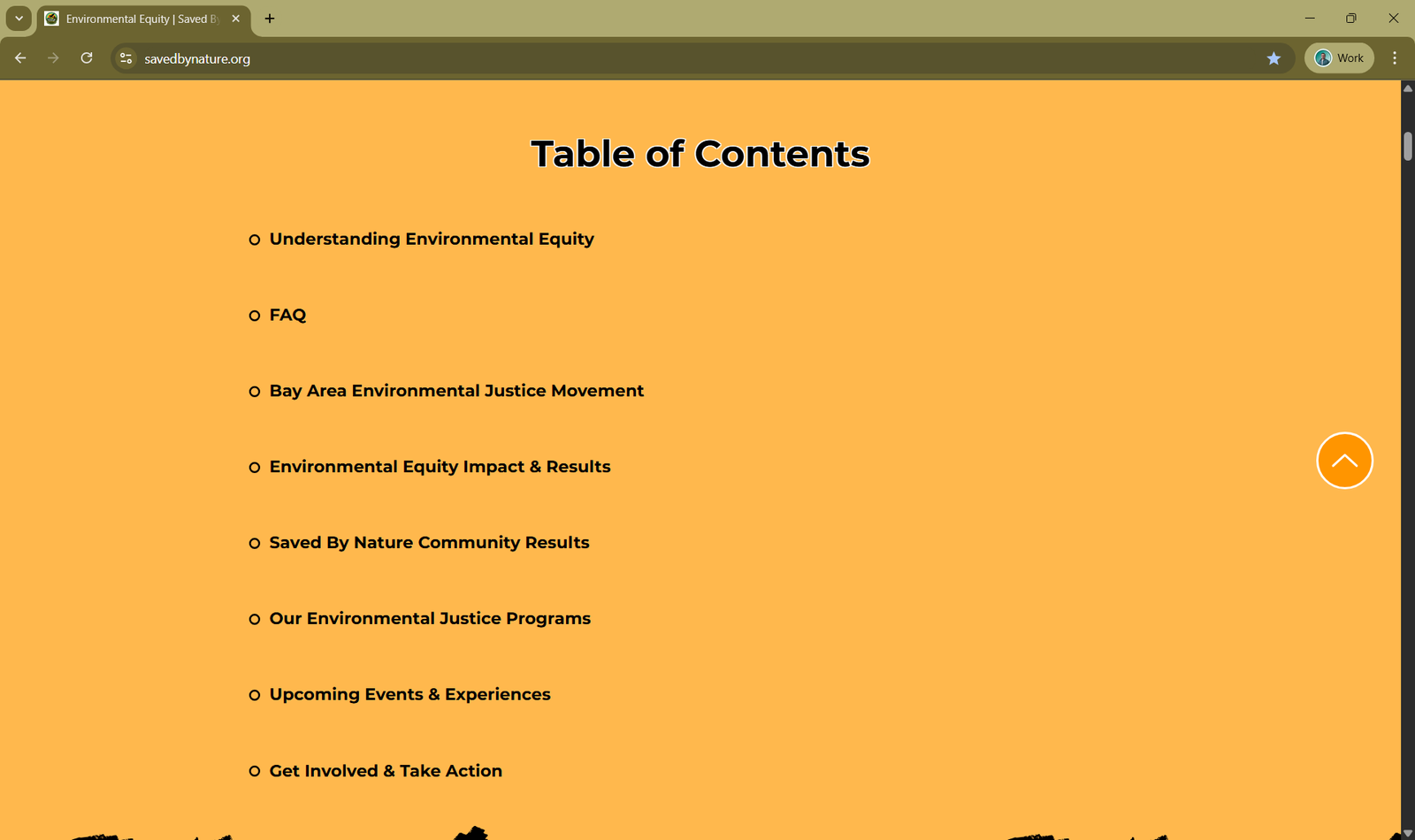
Tables of Contents and Back-to-Top added to every page.

Audit Findings

The UX audit identified problems in three areas — all of which were creating friction before a visitor ever reached a program page or enrollment form.

Finding 1

Truncated Mobile Navigation

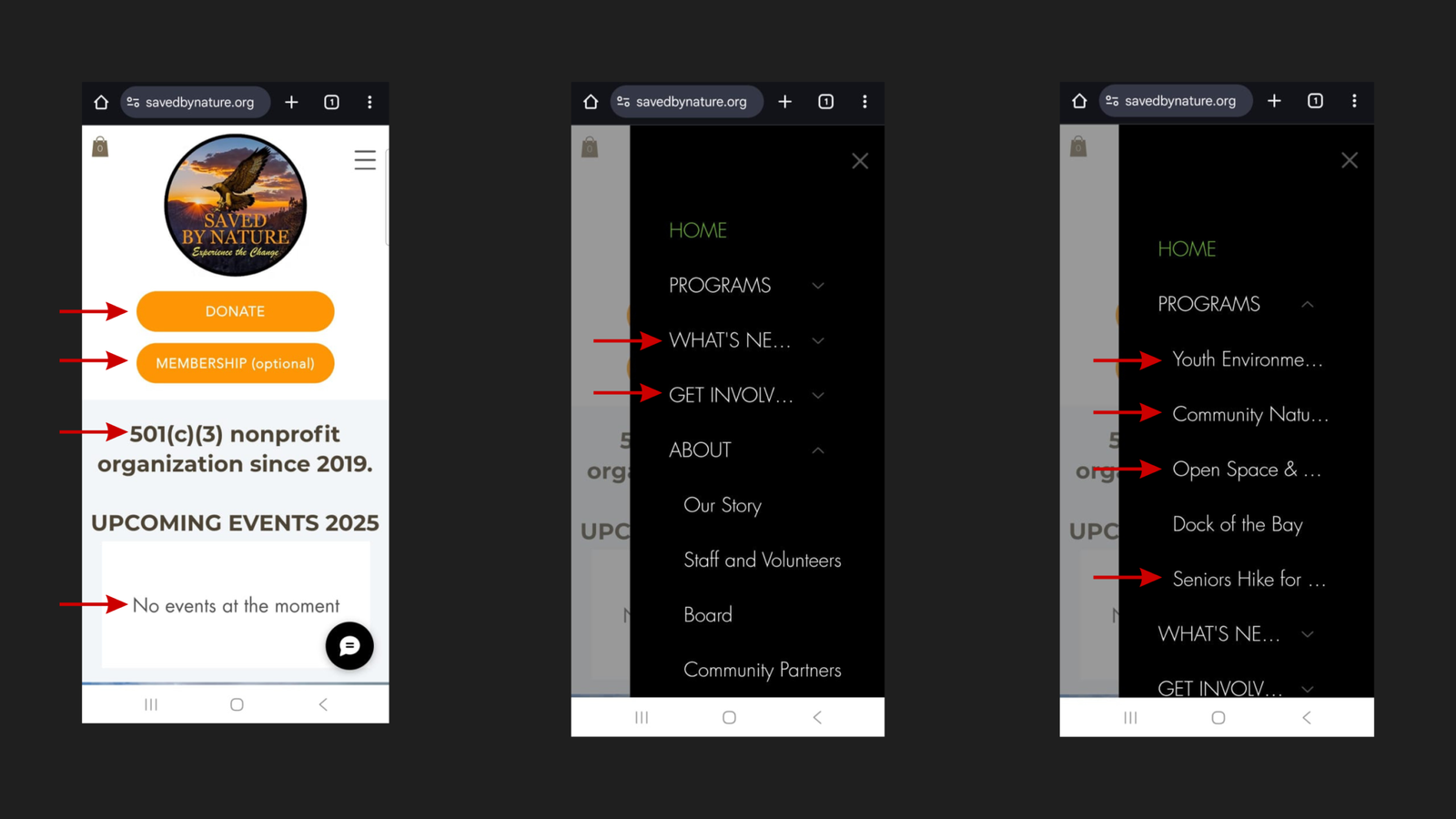
The mobile hamburger menu cut off menu item labels mid-word:

  • “WHAT’S NE…” instead of WHAT’S NEW
  • “GET INVOLV…” instead of GET INVOLVED
  • All program names in the PROGRAMS submenu were cut off before they could be read


Visitors couldn’t identify key pages at a glance. They were guessing at destinations rather than navigating with confidence.

Finding 2

Buried Program Information

Program pages were accessible only three to four clicks deep on mobile. A parent or community member arriving on the homepage with no prior knowledge of SBN’s site structure had no logical shortcut to program information. On a site where program enrollment was the primary conversion goal, every unnecessary click was a potential exit.

Finding 3

Non-Responsive Content

Site content had not been built or tested for mobile display:

  • Elements were misaligned at smaller screen sizes
  • Text was difficult to read on mobile
  • Interactive elements were not optimized for touch

The Rebuild

Approach

The decision was made to rebuild the entire site from the ground up rather than patch individual issues. A surface-level fix would have left the underlying structural problems intact — and any content or SEO work built on top of a broken foundation would be undermined by it.

The rebuild was guided by four objectives:

  1. Improved UX — reduce friction at every stage of the visitor journey.
  2. SEO foundations — build a crawlable, well-structured site from the start.
  3. Conversion optimization — make it easy for visitors to take action.
  4. Visual consistency — establish a brand identity that holds across every page.

Brand & Visual Identity

A consistent color palette was established and applied across the rebuilt website and all marketing materials — replacing the inconsistent visual presentation the original site had carried.

UX Enhancements

Two navigation improvements were added to every main page of the rebuilt site.

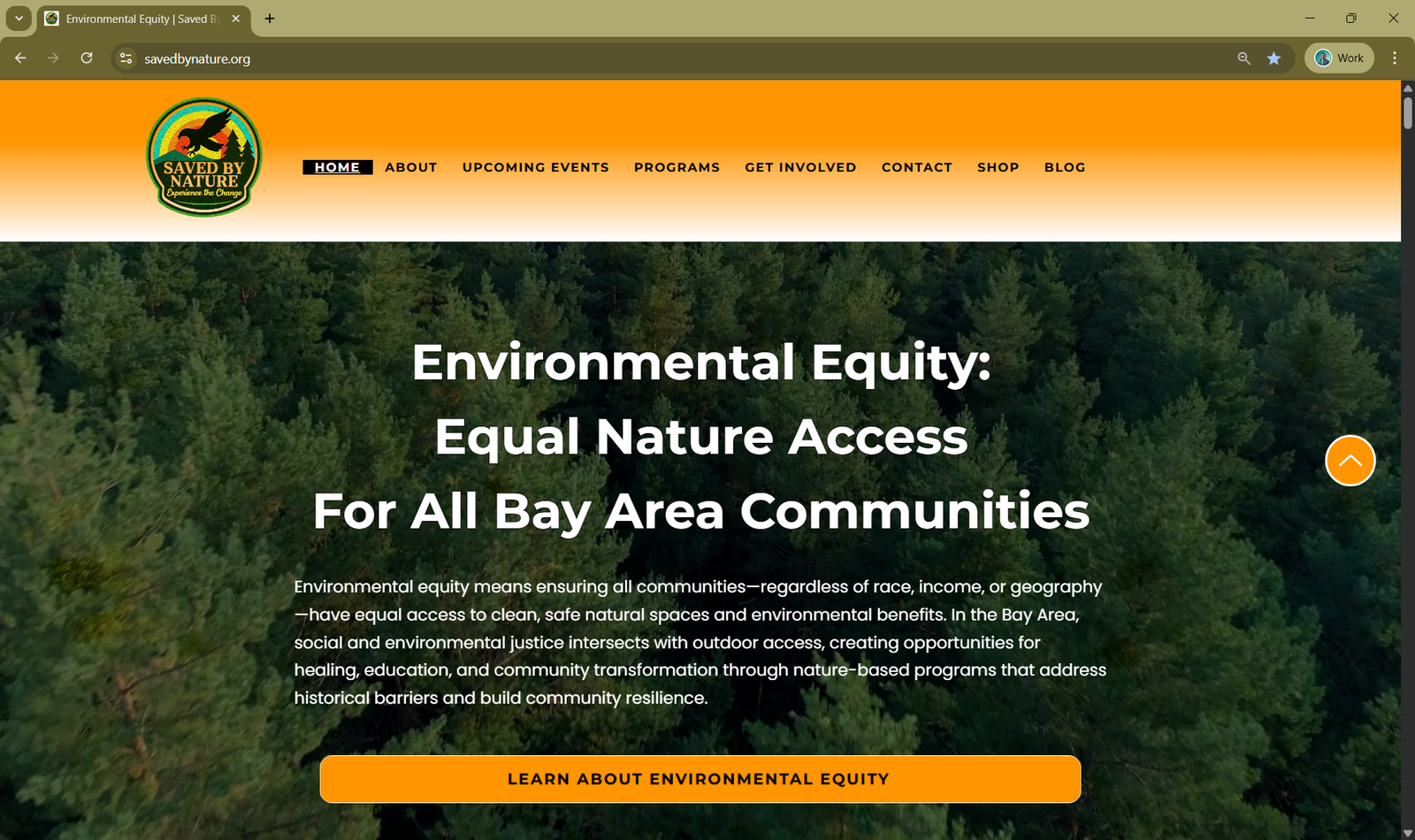
Back-to-Top Button

A persistent Back-to-Top button was added throughout the site. On longer pages — such as program pages, and blog posts — this eliminates the need to scroll back to the top to reach the navigation. A small detail that meaningfully reduces effort on pages where users are actively reading.

Tables of Contents with Jump Links

Every main page now includes a Table of Contents with anchor links to each section. This serves two purposes simultaneously:

  • For visitors: navigate directly to the information they need without scrolling through the full page.
  • For SEO: provides crawlable internal link structure within each page.

Mobile Optimization

With the audit findings documented, the mobile experience was rebuilt end to end across three areas.

1. Navigation

BeforeAfter
Labels truncated mid-wordEvery label fully visible
Programs buried in multi-step pathPrograms accessible directly via PROGRAMS submenu
Menu structure unclearLogical, intuitive hierarchy throughout
0
clicks to reach program information

2. Information Architecture

The IA was restructured so that key pages — particularly program information — are accessible in significantly fewer clicks. All six programs now appear as clearly labelled submenu items directly under PROGRAMS in the mobile menu.

0
programs accessible directly from the mobile PROGRAMS submenu

3. Responsiveness

All pages were built and tested across screen sizes:

  • Content layout adapts correctly to mobile screens.
  • Typography is legible at smaller sizes.
  • Images scale without cropping or overflow.
  • Interactive elements (buttons, forms, menus) work correctly on touch.

What This Made Possible

A site with broken navigation and non-responsive content undermines every layer of work built on top of it. No amount of keyword research, content creation, or technical SEO can compensate for visitors abandoning a page before they can read it, or bouncing off a menu that hides the exact page they came to find.

Rebuilding the site’s structure and mobile experience first meant every phase that followed — new pages, keyword-mapped content, technical SEO, local SEO — was built on a foundation that actually worked for the people using it. The brand identity established here also carries through every page built afterward, giving the rebuilt site a coherent visual language instead of a patchwork of inconsistent styles.

This is the work that made the rest of the case study possible.